bKash merchant account with PGW
The account that receives bKash payment gateway credentials. After onboarding, bKash issues production keys, and payments settle to your organisation wallet.
How to add bKash payment in website checkout: open a bKash merchant account, test bKash's online payment API (PGW) with sandbox credentials, and connect it through the WooCommerce plugin bKash publishes or a custom tokenized checkout integration. When bKash completes your onboarding, it issues production credentials and the checkout goes live. Rizer built bKash tokenized checkout into Mystic Shop BD, a custom store that sells across Bangladesh.
6 things to have in place. The account and document items are set by bKash, so confirm the current requirements with bKash before you apply.
The same order applies to WordPress stores and custom-built sites. Steps 5 to 7 are where the 2 differ.
Decide between a direct bKash PGW account and an aggregator such as SSLCommerz that includes bKash among its methods.
Submit the merchant application to bKash, or to the aggregator if you chose that route.
Provide the KYC documents and sign the agreement. A bKash merchant account manager can help with this stage.
bKash says its sandbox is open whether or not onboarding is complete, so development can start while the account is reviewed.
Use the bKash For WooCommerce plugin on a WordPress store, or write the API calls into a custom store or web app.
Add bKash as a payment method, send the order ID and amount from the server, and set the return pages.
Execute the payment after the customer approves it, and mark the order paid when the execute call returns a completed status. If the call times out, query the payment status.
Run successful, failed, cancelled and timed-out payments, and a refund, with sandbox credentials.
Share the sandbox results bKash asks for, replace the sandbox keys with the production credentials bKash issues, then make a small live payment and refund it.
The account decides whether the website can confirm payments automatically.
The account that receives bKash payment gateway credentials. After onboarding, bKash issues production keys, and payments settle to your organisation wallet.
bKash offers this account to small retail and f-commerce sellers without a trade license. Check with bKash whether it can be used with the online payment gateway.
SSLCommerz and similar aggregators sign 1 merchant agreement that covers cards, wallets and internet banking. Check which wallets are enabled on your account.
Customers send money to your number and submit the transaction ID, and staff check each payment by hand.
6 points to compare. Fees are set in each merchant agreement, so check current fees with bKash and with the aggregator. Our payment gateway comparison covers the other gateways.
bKash publishes its bKash For WooCommerce plugin on its GitHub account, bKash-developer. The WordPress plugin directory closed its listing in December 2023, so check with bKash for the current version before you install it. The plugin's readme requires WordPress 4.0, WooCommerce 2.0, PHP 7.0 and MySQL 5.6 or newer, and lists testing up to WordPress 5.9.3.
If the plugin conflicts with your theme or checkout, see our WordPress, Shopify and Laravel development page. For bKash on Shopify, see payment gateway integration.
bKash's developer documentation marks tokenized checkout as highly recommended and the older checkout iFrame as not recommended. A custom integration makes these API calls from your server.
Your server requests an access token with its credentials. The token goes in the authorisation of each later call and is renewed with a refresh token.
The server sends the amount and your order reference. bKash returns a payment ID and a link to its payment page.
On the bKash page, the customer enters their wallet number, the verification code sent by SMS, and their PIN. Then bKash returns them to your callback page.
Your server executes the payment and receives the transaction ID. Only then is the order marked paid, and only once.
If the execute call times out, bKash documents Query Payment as the standard fallback for finding out whether the money moved.
Full or partial refunds run against a completed transaction, and a refund status call returns its refund history.
Production moves real money from and to your organisation wallet, so each case below should pass in the sandbox first.
The order shows as paid, the transaction ID is saved on it, and the customer gets a receipt.
The order stays unpaid, and the customer can try again or switch to cash on delivery.
The customer pays and closes the browser before returning. A status query or webhook still records the payment.
The same callback arrives twice. The order is marked paid once, and stock is reduced once.
Someone edits the price in the browser. The server sends the total it calculated, so the edit has no effect.
A full and a partial refund both reach the customer, and the order records each one.
Yes, as a manual payment. The customer sends money to your bKash number, enters the transaction ID and uploads a screenshot, and a staff member approves the payment in the admin.
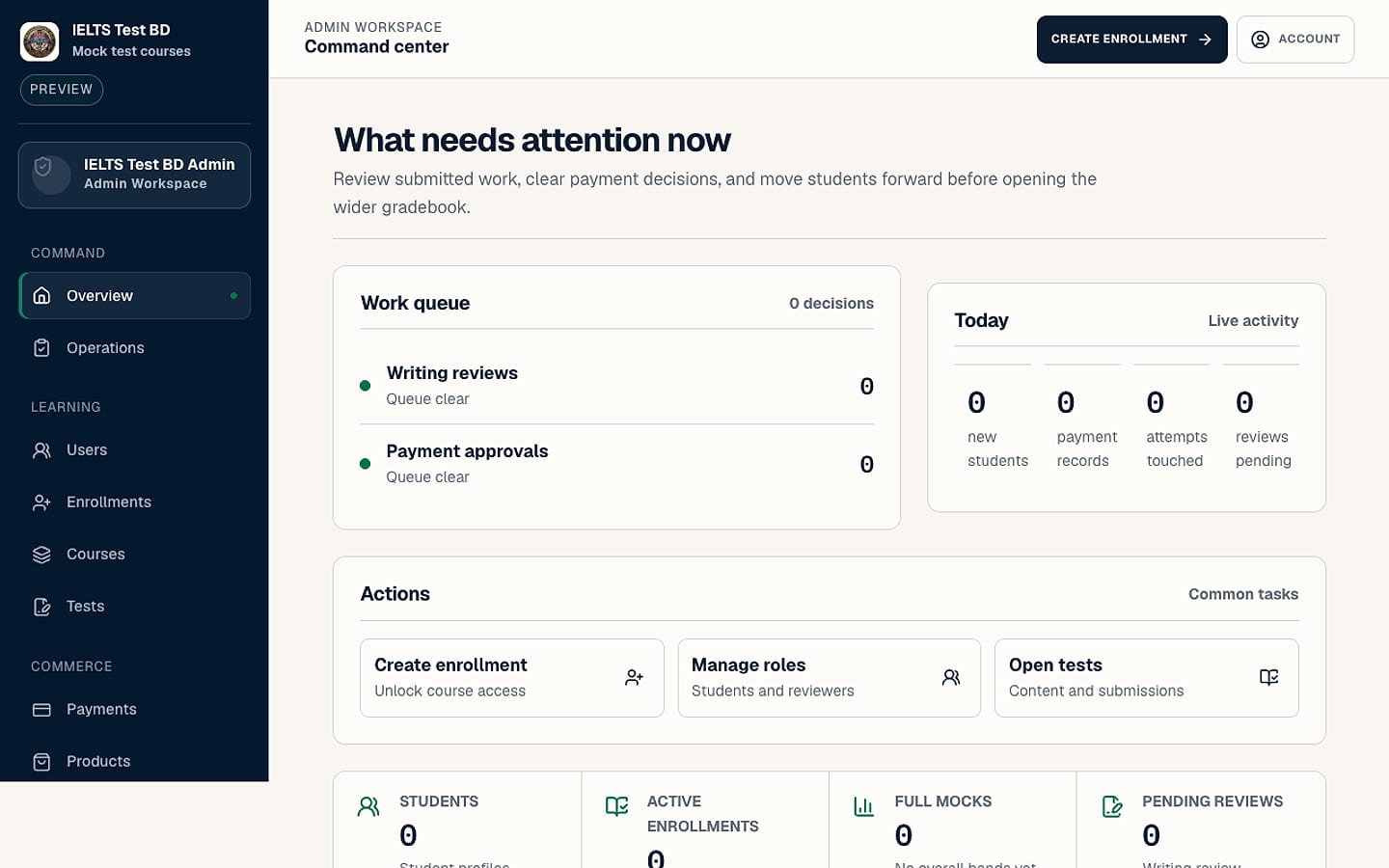
IELTS Test BD is the mock test platform of British Language Club in Rajshahi. Students pay by mobile transfer, submit the reference and a screenshot, and an admin approves or rejects the payment with a note. Payment proof is kept in private storage.
Payment approvals on the first admin screen
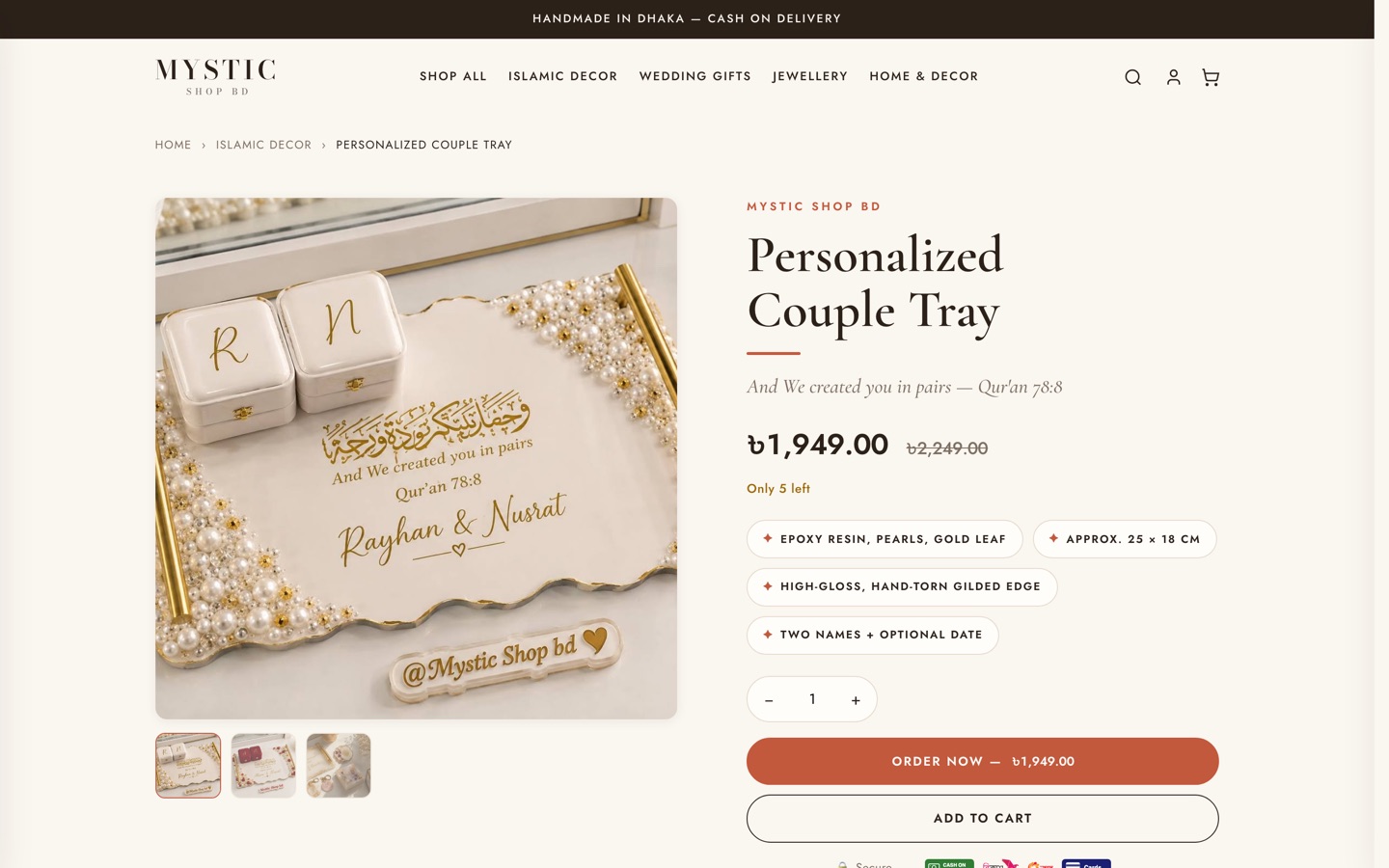
Mystic Shop BD runs bKash tokenized checkout and SSLCommerz hosted payment next to manual Nagad and cash on delivery, with an incentive for customers who pay in advance. The shop owns its code and data.
5 payment methods at 1 checkout
Totals from our homepage, across clients in Bangladesh and other countries.
Benni Klein, Owner, Accessible Trip Brazil
You apply for the merchant account in your business's name. We do the build, the testing and the switch to production.
We configure the bKash plugin on an existing WooCommerce store, or write the integration into a custom store or web app. Full store builds are on our ecommerce website development page.
SSLCommerz, Nagad and other gateways can sit at the same checkout. See our payment gateway integration page for each one.
A prepaid order goes to the courier with nothing to collect. Our courier integration page covers Pathao, Steadfast and RedX.
NextGen Mobile, a phone store in Rajshahi, takes payment on delivery only. A gateway can be added to that kind of checkout without removing cash on delivery. Read the NextGen Mobile case study.
Check with bKash, because the merchant sign-up asks for a trade license and bKash offers a Personal Retail Account to small sellers without one. Until you have gateway credentials, a website can take bKash as a manual payment that staff approve. IELTS Test BD uses this kind of mobile-transfer proof and admin approval flow.
Yes. bKash states that its sandbox is open whether or not onboarding is complete, and production credentials are issued once onboarding is finished.
Install the bKash For WooCommerce plugin from bKash's GitHub account, enter your bKash credentials under the WooCommerce payment settings, test in sandbox mode, and switch to production credentials. You need an active bKash merchant account and an SSL certificate before going live.
The plugin suits a standard WooCommerce store, and a custom integration suits a custom store, a web app, or a checkout with its own rules. Mystic Shop BD uses a custom integration, which lets its checkout reward advance payment and run several methods side by side.
The payment can still be recorded if the site queries the payment status or listens for bKash's payment notifications. bKash documents Query Payment as the fallback when the execute call times out, and its webhook notifies your server when a payment status changes.
Yes. The bKash API supports full and partial refunds on completed transactions, and the WooCommerce plugin starts refunds from the order screen.
We send a quote after a free 15-minute call. The work is smaller when the bKash plugin fits an existing WooCommerce store and larger for a custom tokenized checkout with saved agreements, webhooks and refunds in your own admin. bKash charges its transaction fee under your merchant agreement, and that fee is not part of our quote.
Related pages: payment gateway integration, payment gateway comparison, how to sell online in Bangladesh, all Bangladesh services and our full services list.
Book a free 15-minute call and tell us which platform your site runs on and how your customers pay now. We reply with a quote. You can also email [email protected].